Exporting CRM data to Excel or CSV: when it makes sense and what to look at outside
RealEstateCRM España · 26 October 2026
It is Thursday afternoon and a partner at an agency in Vigo wants to know something no screen shows as it is: which salespeople handle most of the viewings for homes over €250,000, and how many of those end in a reservation. They could ask someone to count it file by file, or they could download the data and cross it themselves in ten minutes. The second option is the sensible one, and that is what exporting is for. The mistake is not using Excel; it is using it as the place where the information lives.
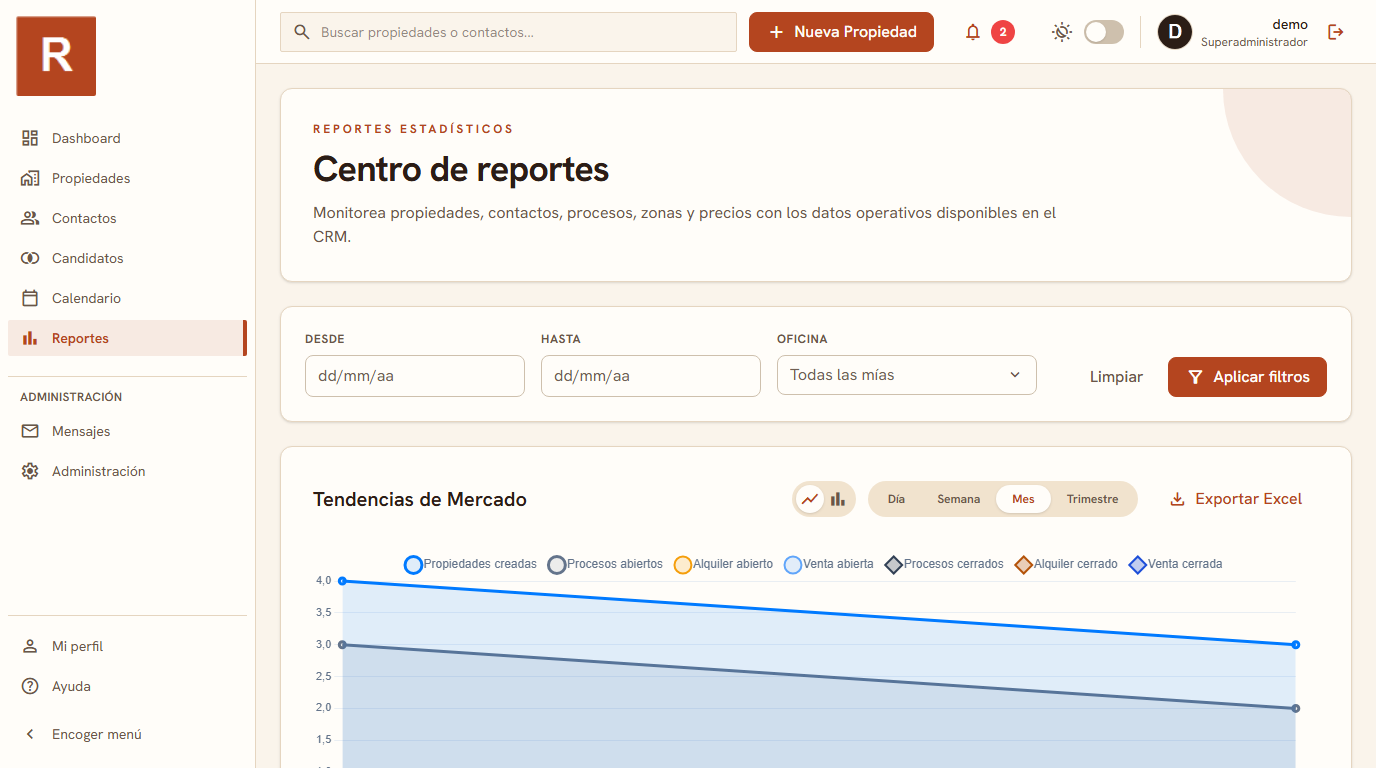
Yes, you can export a real estate CRM to Excel or CSV, and the sensible way to do it is for one-off analyses that have no screen of their own, not to run your portfolio in parallel. In RealEstateCRM the Reports module includes CSV and Excel export, so the agency's data leaves the program when you need it and the CRM stays the main record.
When exporting is worth it
Some questions a dashboard cannot answer because nobody thought of them in advance. Crossing viewings per salesperson with the average price in an area, comparing two quarters with a criterion only your team uses, or preparing the figure your accountant asks for at year-end. They are one-off analyses with an odd condition, and building a permanent screen for them would make no sense.
It also helps to export when someone else does the analysis. An outside adviser, a partner who prefers working with their own formulas, or someone in admin who already has a template. In those cases sending a file is simpler than giving them access to the whole CRM, and it stops anyone browsing contacts that are none of their business.
What should not end up in a spreadsheet
The risk shows up when exporting becomes a habit. Someone downloads the contact list every Monday, edits it, emails it round, and three months later five versions are floating about, each with a phone number corrected by hand. It is the same old problem in a new disguise: the source of truth has been duplicated and you no longer know which one rules.
The practical rule is simple. If you need to update a piece of data, do it in the CRM, where everyone sees it. If you only need to look at it from another angle, export it, analyse it and bin the file when you finish. An exported sheet is a snapshot of one particular day, not a live record, and it should be treated as such.
Personal data: what you do with the file afterwards
Under data protection rules, a CSV of contacts is another copy of personal data, and it sits on the computer of whoever downloaded it. Before exporting it is worth asking whether you really need the names and phone numbers or whether the numeric columns will do, and which folder the file will end up in when you open it on Friday.
This also works in your favour when you are the one choosing the CRM: RealEstateCRM's terms of service make clear that the data you enter is yours and that, if you ever end the contract, you can ask for an export in a reusable format. Being able to take your data out is what keeps you from being tied to a tool, and it is a question worth asking any vendor before you sign.
A case: the quarterly meeting of an agency with three offices
Picture an agency with offices in Pontevedra, Vigo and Ourense preparing its quarterly review. The usual figures come straight from the Reports module: activity, portfolio trends, areas with the most supply and demand. But the partner wants to compare how long a property takes to go from listed to reserved depending on the office, and that is not on screen as it is. They export, open a sheet, cross two columns and arrive at the meeting with a conclusion that no longer depends on anyone's impression. On Monday the file gets deleted and everything is still where it was.
If you want to see what the module includes before exporting anything, there is all the CRM features, and the short answer on exporting is in the FAQ. To know which numbers are worth checking every week without leaving the CRM, read the KPIs of a real estate agency, and if your agency still keeps its portfolio in scattered sheets, you may like the signs it is time to move from Excel to a CRM. RealEstateCRM is designed so that Excel is an analysis tool and not the place where you keep the agency.