Two-factor authentication in your real estate CRM: how to protect your team's accounts
RealEstateCRM España · 21 September 2026
An agent at a small agency gets an email that looks like it's from a property portal, asking them to confirm their CRM password. They open it between two calls, without thinking much of it, and get on with the rest of the day. Two weeks later, someone who isn't them tries to log into that same account from a device nobody in the office recognises. The password is already in the wrong hands — that part has already happened, there's no undoing it — but the login never goes through, because it needs a second step that only that agent has, on their own phone.
Two-factor authentication in a real estate CRM is a security layer that requires, on top of the password, a second code generated on the phone of whoever is trying to log in, so knowing the password stops being enough to get into the account. In RealEstateCRM, that two-factor authentication sits alongside a per-account access log, so beyond blocking the unwanted login, there's a record of who got in and when.
Why an agency holds more than it looks like
What runs through an estate agency's CRM isn't just addresses and asking prices: it's the personal and contact details of buyers and owners, and the viewing calendar gives away, without meaning to, exactly when a given property is going to be empty. A password shared across the whole team, jotted on a note by the monitor, or reused on other accounts that do get breached from time to time, turns any leak that has nothing to do with the agency into an open door to that data.
Nobody needs to attack the CRM directly for that to happen. It's enough for that same password to leak from another service — an online shop, a social network — for someone to try it here too, because plenty of people reuse passwords across sites without noticing how much risk that piles up.
Two-factor authentication and an access log, from the same panel
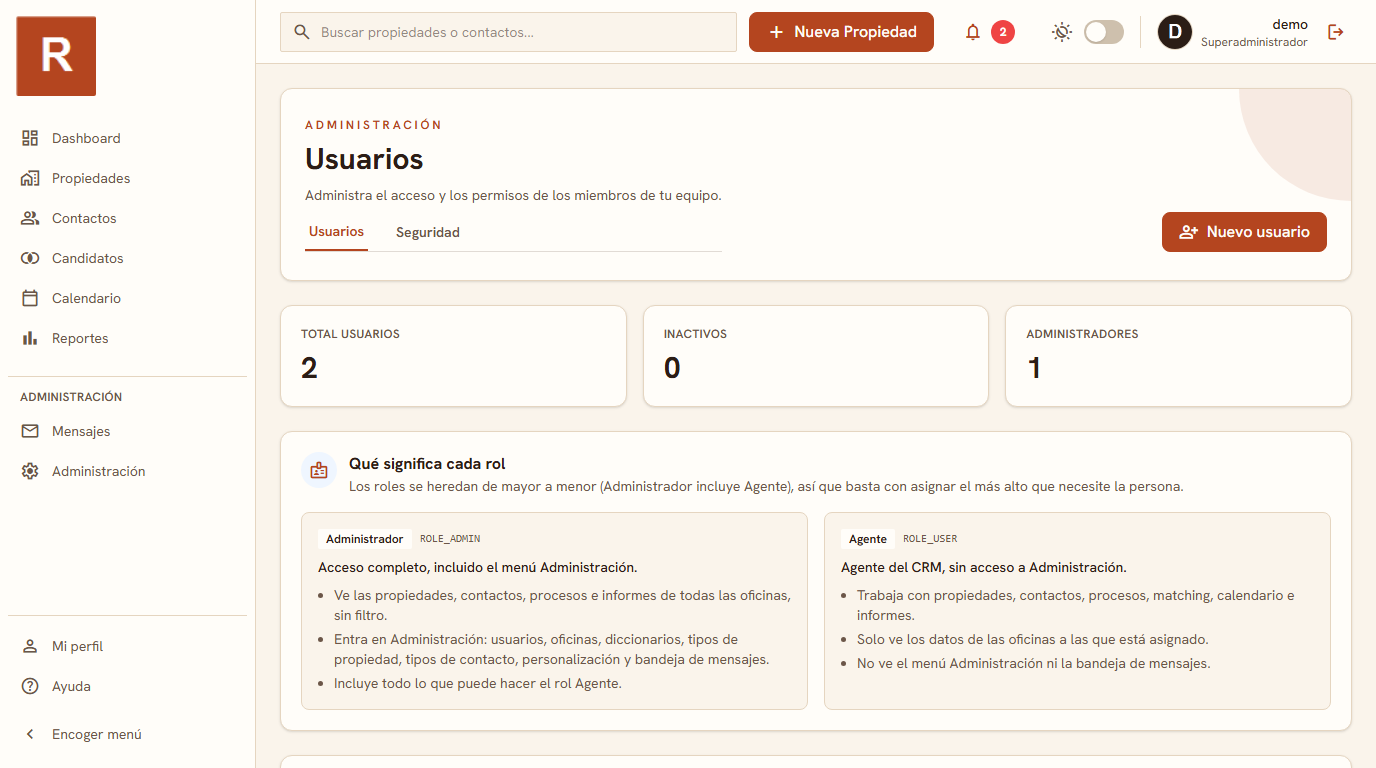
RealEstateCRM turns on two-factor authentication and the per-account access log from the same Administration panel where users, roles and branches are already set up, with nothing extra to contract and no separate security system to install. Every account gets that second step, and every login to the system — with its date and the account behind it — is saved to a log you can go back to if something on a record changes in a way nobody remembers causing.
An access log is good for more than looking backwards
The access log isn't there only for the day something goes wrong. It also settles much more everyday questions: which account is still active for someone who no longer works at the agency, whether an agent logged in over the weekend without anyone asking them to, or who changed a listing's price the night before an important viewing. Without that history, the answer depends on whoever happened to be in the office that afternoon remembering; with it, it depends on a fact that was already saved.
A case: a leaked password that got nowhere
An agency with two branches in northern Spain found out, thanks to an alert from its password manager, that the personal email account of one of its agents had turned up in a breach at another service, with no connection at all to the CRM or the agency. Because that same password had also been reused to log into the CRM, someone tried it there within days. The attempt got as far as the second-code screen and stopped dead: without the agent's phone, there was no way past it.
The agency found out about the attempt that same week, while checking the access log as a matter of routine, changed the password on the affected account as a precaution, and didn't have to write off a single record touched or a single piece of data out of the CRM. Without two-factor authentication, that same reused password would have been enough, on its own, to get in.
This protection sits alongside the rest of the CRM's modules, from the same administration panel where users, roles and branches are already split up. If your agency runs more than one branch and you still haven't checked who can see what inside the system, the article on roles and permissions in a multi-branch CRM is a good next read.