Contact message inbox: answer every form on your website without losing any
RealEstateCRM España · 12 October 2026
On a Friday at six in the evening, someone fills in the website form of an agency in Alicante asking about a three-bedroom flat. The notice lands in the office's general mailbox, where invoices, portal newsletters and supplier replies all live together. The person who checks it is out on a viewing until eight. By Monday that message is the forty-something on the list and has gone three days unanswered. The buyer, meanwhile, has already spoken to another agency.
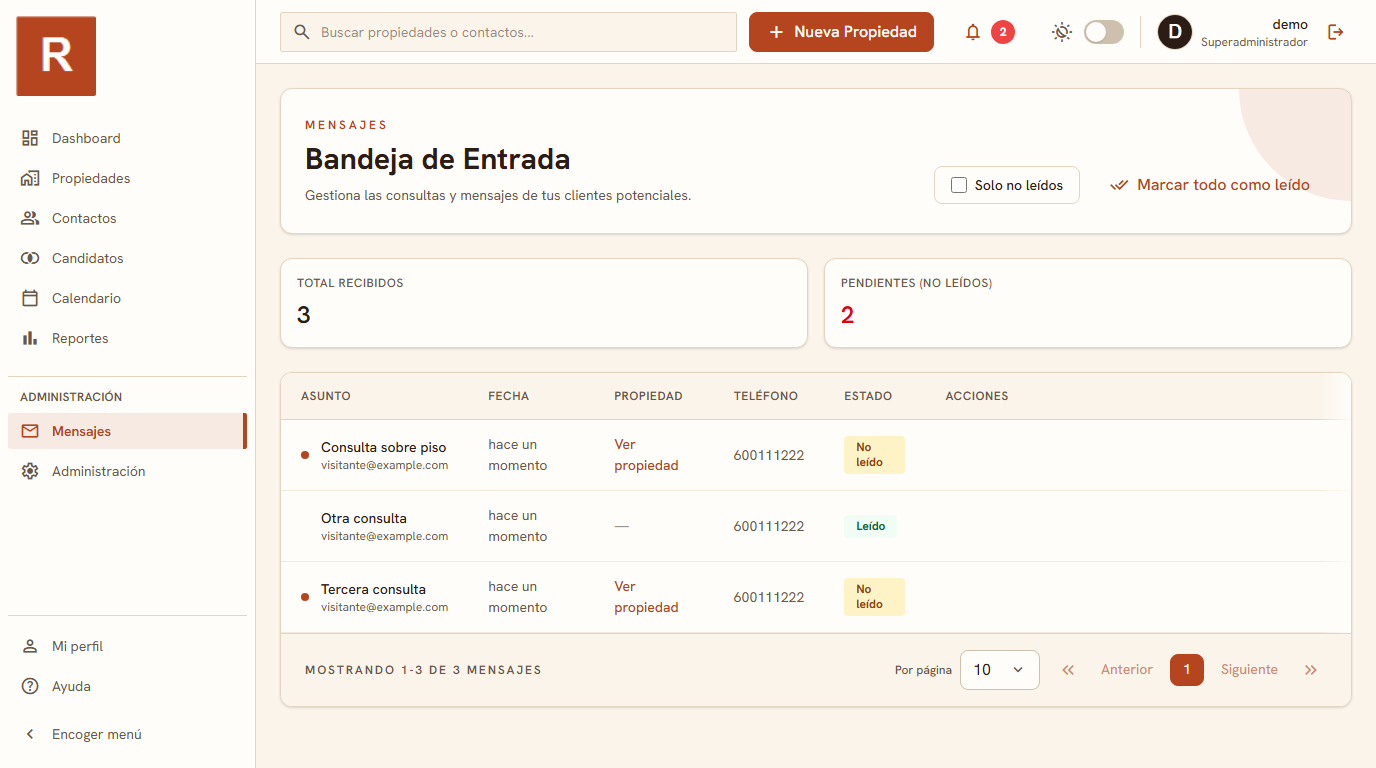
To handle an estate agency's contact forms without losing any, you need an inbox of their own, separate from the general mailbox, where each message keeps its status and you can see at a glance which ones are still unread. In RealEstateCRM that inbox is the Messages module: it collects what comes in through your forms, with an unread filter and a status for each message.
A shared mailbox is not an inbox
Nearly every agency starts the same way: the website form sends an email to an info@ address and somebody looks after it. That works while three enquiries a week come in. It stops working when the same address also gets everything else, and when whoever watches it has other jobs to do, which in a small office is always.
This is not a discipline problem. An email opened by mistake, a message someone opens "to look at later" or a reply left in drafts vanishes just as well as an ignored one, because email does not tell "I have seen it" from "I have dealt with it". And if two people have it open, nobody knows whether the other one already replied.
Unread, read, dealt with: three different situations
What changes with an inbox inside the CRM is that each message has a status of its own. The unread filter answers the most urgent question of the day, what has come in that nobody has looked at yet, and it does so in two seconds, with no digging through hundreds of emails. It is the first thing worth opening each morning, before the diary and before the phone.
The message status covers the second question, the one most often forgotten: what have I looked at but not yet answered. An opened, unanswered message is worse than an unopened one, because it gives the false impression that someone is on it. Seeing it marked as pending in a list the whole office shares makes it obvious when an enquiry has been stuck for too long.
From message to contact: don't let the enquiry stay in the inbox
An inbox is only useful if what comes in ends up somewhere. When the message is from someone looking for a flat, the natural step is for it to become a contact with their interests and history, and for the follow-up call to be noted in the diary. If all of that is done by hand, copying details from an email into a spreadsheet, the inbox turns back into a drawer where things get lost, just a prettier one.
That is why an inbox makes more sense in the same program as the contact records and the calendar than outside it. You reply, open or create that person's record, set the action for Tuesday and the message is marked as dealt with. Three steps in a row, without switching application or tab.
A case: the Monday with eleven forms
Picture an agency of four agents that starts a Monday with eleven forms piled up over the weekend. With a shared mailbox, whoever arrives first reads them in the order they appear, answers five and leaves the rest until after the team meeting. By midday nobody remembers which ones they were.
With the inbox, whoever opens the CRM filters by unread, sees all eleven, splits them in a minute by area or property type, and each agent closes their own before heading out to the first viewing. By the end of the morning the pending list is empty, or you know exactly who has what. It is small, but it is precisely what a shared mailbox does not give you.
If you want to see where the inbox fits with the rest, the Messages module sits among everything else the CRM includes and relies on the contact and property records. To keep an enquiry from going cold after you have answered it, it may help to read how to follow up on property leads. And if you still wonder whether your agency needs a CRM, RealEstateCRM is built so that no form goes unanswered for lack of a place to look at it.